How to Check Saudi Iqama Expiry Online in 2026 (Step-by-Step Guide)
If you live and work in Saudi Arabia, keeping track of your Iqama (Residence Permit) expiry date is extremely important. An expired Iqama can lead to fines, legal issues, and even problems with your employment or travel.
The process to check your Saudi Iqama expiry status has changed in 2026, and in this guide, we’ll walk you through the latest method using the official government platform.
Whether you’re checking your own Iqama or helping a family member, this tutorial will make the process simple and easy to follow.
How to Check Your Saudi Iqama Expiry Date in 2026
Checking your Iqama expiry online only takes a few minutes. Follow these simple steps.
Step 1: Open a Web Browser
Open any web browser on your smartphone or computer.
In the search bar, type:
Absher Login
Open the official Absher website.
Official Website: https://www.absher.sa
Step 2: Change the Language (If Needed)
If the website opens in Arabic:
- Click the three-line (menu) icon.
- Select English as your preferred language.
This makes navigation much easier for international residents.
Step 3: Log In to Your Absher Account
Enter your:
- Username or ID Number
- Password
Click the Login button.
Step 4: Verify with OTP
A 4-digit verification code (OTP) will be sent to your registered mobile number.
Enter the OTP to complete the login process.
After verification, you’ll successfully access your Absher dashboard.
What You’ll See After Logging In
Inside your account, you’ll find several services, including:
- My Services
- Vehicles
- Family Members
- Workers
- Appointments
- Traffic Services
- Criminal Record Certificate
- Various Government Services
Scroll down until you find the service related to Iqama Expiry Inquiry.
Step 5: Open the Iqama Expiry Inquiry Service
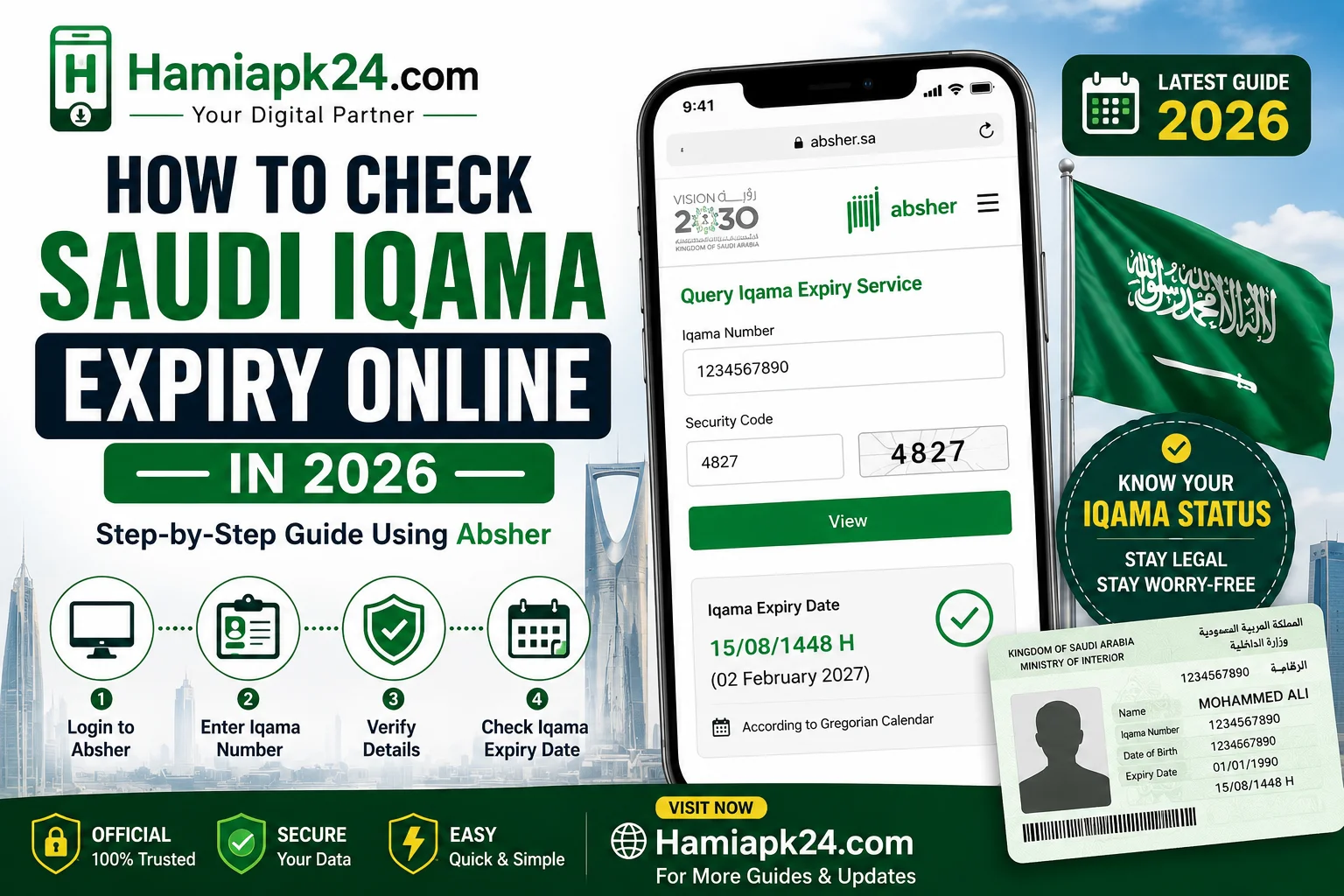
Click on the Query Iqama Expiry Service.
You’ll be asked to enter:
- Iqama Number
- Security Verification Code (Captcha)
After filling in the information, click View.
The system will begin processing your request.
Step 6: Check Your Iqama Expiry Date
After a few seconds, your Iqama validity information will appear.
The expiry date is usually displayed according to the Hijri (Islamic) Calendar.
If you want to convert it into the Gregorian calendar:
- Tap on the date.
- Open Google.
- Search for the Hijri date conversion.
Google will instantly show the equivalent Gregorian date.
For example:
Hijri Date → February 2027 (Gregorian)
How to Know If Your Iqama Has Expired
The system uses color indicators to make things simple.
🟢 Green Tick
If you see a green indicator, your Iqama is still valid.
🔴 Red Indicator
If a red mark appears, it means your Iqama has already expired.
In that case, you should immediately contact your employer or sponsor to begin the renewal process.
Why Checking Your Iqama Expiry Is Important
Keeping your Iqama valid helps you avoid several issues, including:
- Government fines
- Problems renewing your work permit
- Banking restrictions
- Travel limitations
- Difficulties accessing government services
- Employment-related complications
Checking your expiry date regularly ensures you remain compliant with Saudi regulations.
Tips for Saudi Residents
Here are a few recommendations:
- Check your Iqama at least once every month.
- Keep your Absher account active.
- Ensure your registered mobile number is up to date.
- Renew your Iqama before the expiry date.
- Save a screenshot of your validity details for future reference.
Official Saudi Government Resources
Always use official government websites to verify your residency information.
- Absher Portal: https://www.absher.sa
- Ministry of Interior (Saudi Arabia): https://www.moi.gov.sa
- General Directorate of Passports (Jawazat): https://www.gdp.gov.sa
These websites provide accurate and secure information regarding residency services.
Frequently Asked Questions (FAQs)
Can I check my Iqama expiry without an Absher account?
Some inquiry services may be available through official government portals, but the most reliable method is logging into your Absher account.
Why is the expiry date shown in the Hijri calendar?
Saudi Arabia officially uses the Hijri calendar for many government services, including Iqama validity.
How can I convert the Hijri date to the Gregorian calendar?
Simply copy the Hijri date and search it on Google or use a Hijri-to-Gregorian date converter.
What happens if my Iqama has expired?
You’ll typically see a red status indicating expiration. Contact your employer or sponsor immediately to begin the renewal process and avoid penalties.
Final Thoughts
Checking your Saudi Iqama expiry date in 2026 is now straightforward through the official Absher platform. Simply log in, navigate to the Iqama Expiry Inquiry service, enter your Iqama number and security code, and you’ll instantly see your residency status.
Remember, if your Iqama is still valid, you’ll see a green indicator. If it has expired, a red indicator will appear, letting you know it’s time to take action.
Regularly checking your Iqama helps you avoid fines, maintain legal residency, and continue accessing essential services in Saudi Arabia without interruption.
Have questions about checking your Iqama expiry? Feel free to leave a comment, and we’ll be happy to help!